【Jenkins】Pull Request触发项目构建
1\. Jenkin安装插件 2\. 配置插件 GitHub Server API Credentials, 注意,如果后续你的密码更改了。这里的密码也要同步更改,否则项目无法运行

一、GitHub Pull Requset Builder
1. Jenkin安装插件

2. 配置插件
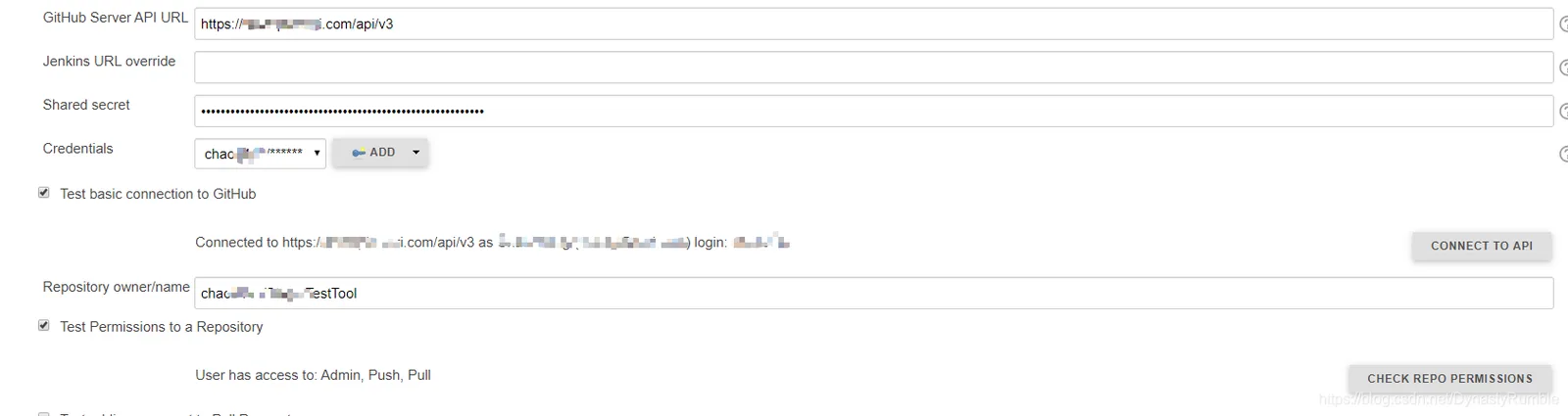
- GitHub Server API
1. Github:   https://api.github.com
2. Github Enterprise: https://your-enterprise-server/api/v3- Credentials, 注意,如果后续你的密码更改了。这里的密码也要同步更改,否则项目无法运行
Your Github username/password, not jenkins username/password- Shared secret
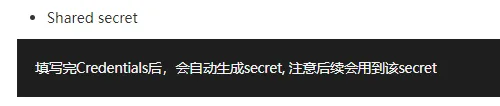
填写完Credentials后,会自动生成secret, 注意Github Webhook后续会用到该secret- 测试连接.
1.  Test basic connection to GitHub
2.  Repository owner/name, 注意这里是owner/name 并不只是repo name,
     例如:   chao/TestRepo 是正确的 ;TestRepo 是错误的
正确结果如图所示
二、Github Hook
通过配置Github Hook, 赋予Jenkins某些Github权限从而达到控制Github的目标
1. Repo –> Setting –> Hooks –> Add webhook
2. Payload URL: your jenkins url + “ghprbhook” or “github-webhook”
http://xxxxx:8080/github-webhook/
http://xxxxx:8080/ghprbhook/
3. Content type
application/json4. Secret
使用Github Pull Request Builder配置里生成的secret
5. Which events would you like to trigger this webhook?
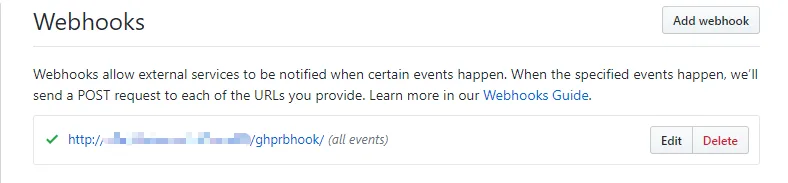
Let me select individual events. --> Pull requests6. 若成功,则如图所示
三、解决防火墙问题 (可以略过)
参考:在安全防火墙内通过 WebHook 触发构建
如果你的Jenkins网址是开放的,安全的,不是在内网环境下,那么请略过这个步骤;相反,我们需要额外处理防火墙问题
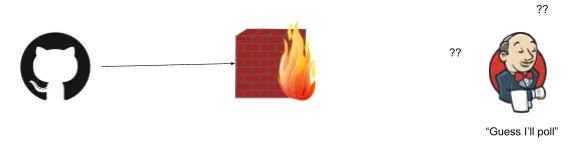

1. 访问 https://smee.io/, 点击 Start a new channel , 复制生成的Webhook Proxy URL

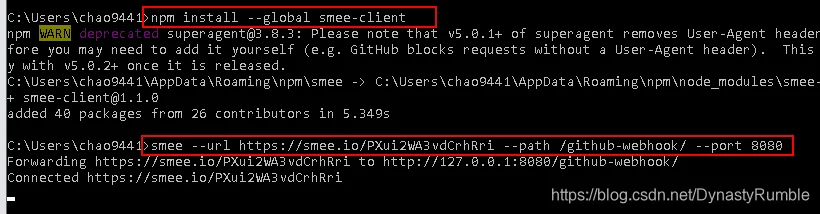
2. 安装smee客户端(需要先安装node.js, 在命令行输入以下指令
npm install --global smee-client 若想卸载
npm uninstall --global smee-client 3. 绑定Jenkins地址,相当于使用smee服务再转到Jenkins地址
smee --url https://smee.io/PXui2WA3vdCrhRri --path /github-webhook/ --port 8080结果如图所示
4. 更换Webhook, Repo –> Setting –> Hooks –> Payload URL 将原先的Jenkins地址更换为smee生成的地址

四、Jenkins项目测试
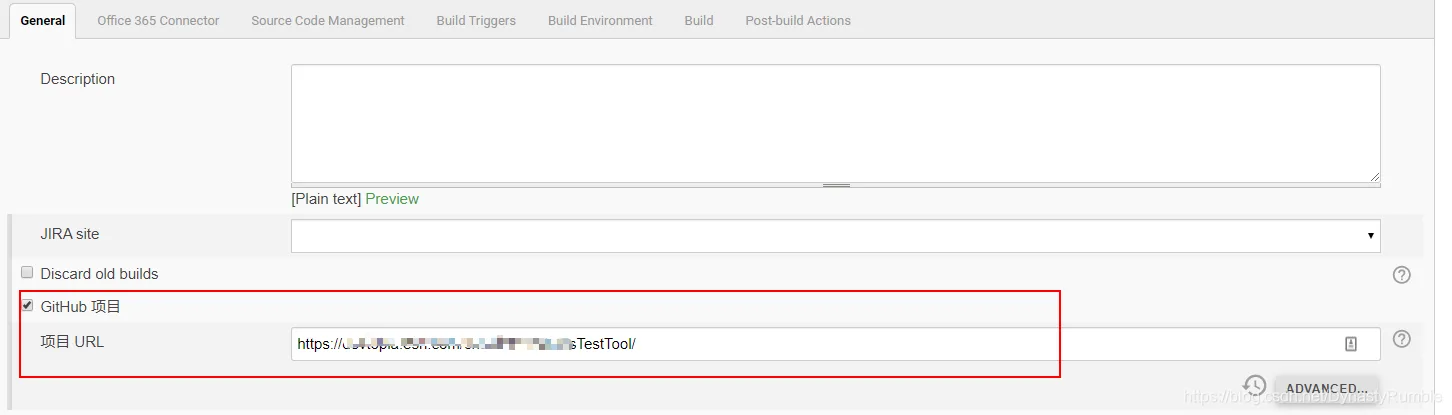
1. 新建一个项目, 连接到待测试的Repo
2. Build Triggers
GitHub Pull Request Builder3. Github Pull Request Builder配置
GitHub API credentials
1. Github:   https://api.github.com
2. Github Enterprise:   https://your-enterprise-server/api/v3
Admin list:
例如 chao9441 repo owner name or othersUse github hooks for build triggering
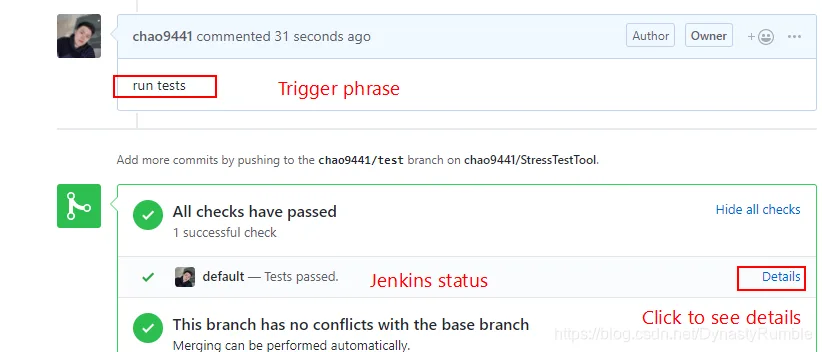
true, 勾选则代表在Github PR里的操作会触发该项目Trigger phrase
例如 .*(re)?run tests.* 代表PR里只要Comment中含 run tests字符则会触发该项目的构建Only use trigger phrase for build triggering
true, 因为Create PR, comment , commit都会触发build, 所以勾选此选项只有在Comment里包含特定词语时才会触发BuildSkip build phrase
例如 .*\[skip\W+ci\].* 代表PR里只要Comment中含skip字符不会触发该项目的构建4. 测试
Github 测试
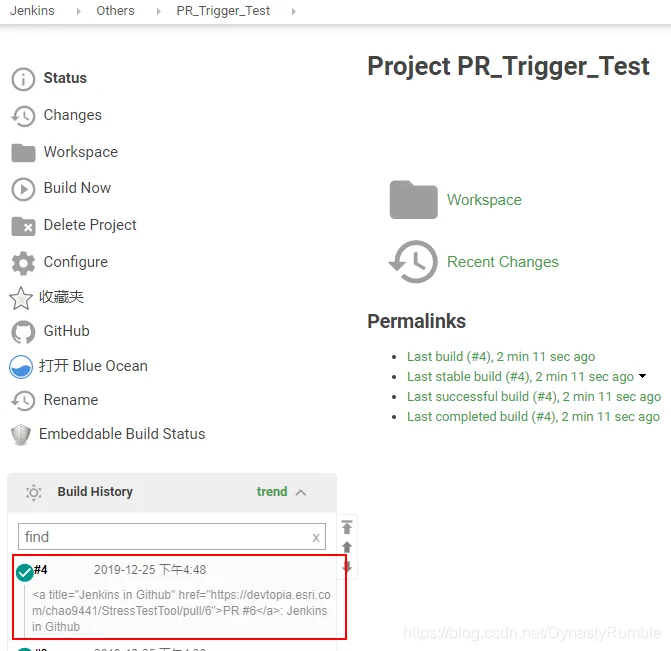
Jenkins结果
五、Pull Request触发Jenkins配置
1. 将目标分支设为白名单, 即可在创建PR时就构建项目,
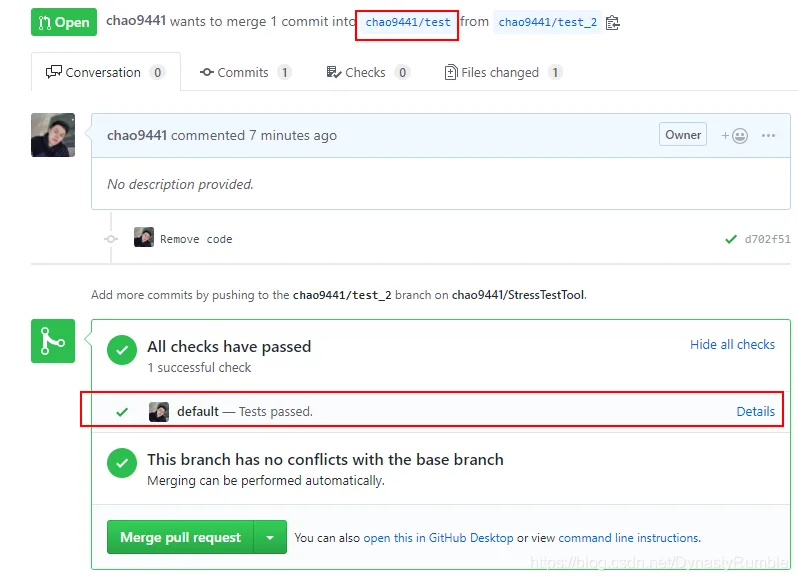
2. Build Triggers –> GitHub Pull Request Builder –> Whitelist Target Branches –> chao9441/test

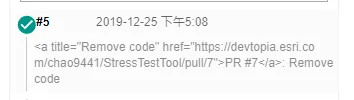
六、Git分支设置
在以上测试中,我们的期望是自动Build 将要merge的分支,即上图中的chao9441/test_2
因此,请按下图设置Git选项
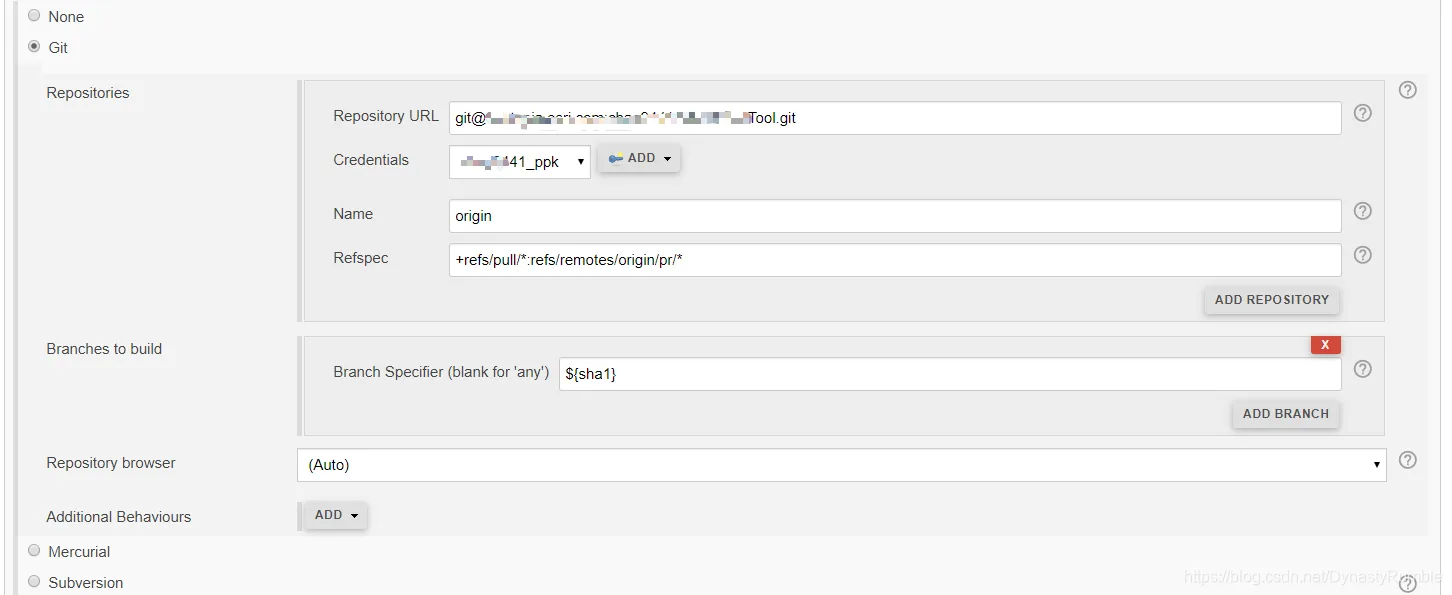
1. Resfpec, 待merger的分支
+refs/pull/*:refs/remotes/origin/pr/*2. Branch Specifier, 待merger的分支
${sha1}七、主分支自动测试
上述步骤我们已经可以测试待merge的分支了,那么怎么自动地测试主分支呢
新建一个Jenkins项目, 在这个项目的配置里
1. Github项目和上面的一致

2. Git设置, 将分支设置主分支
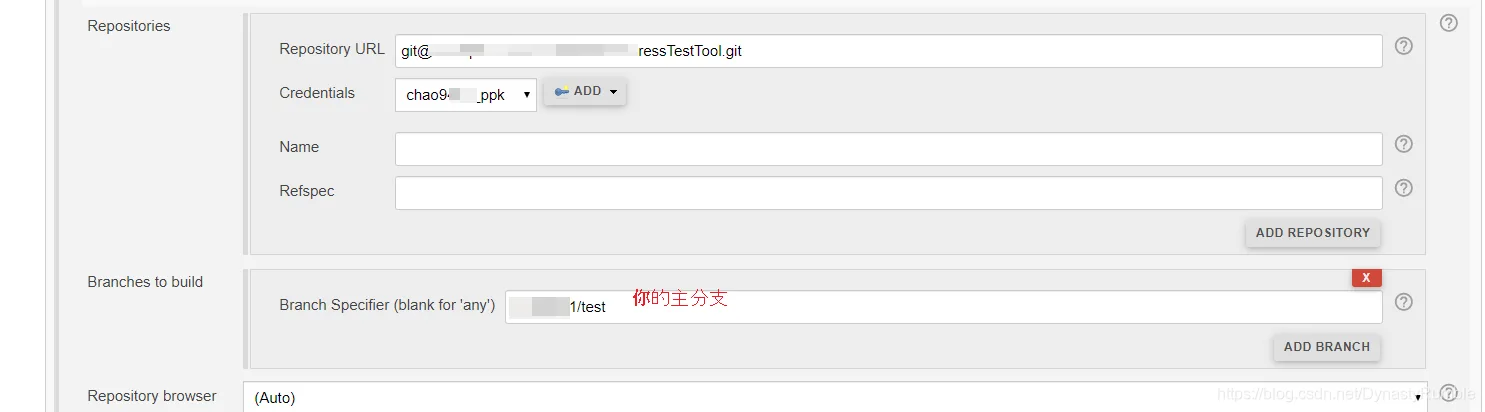
3. 触发器选择Poll SCM, 表示只要主分支代码有任何改动,则触发该项目构建

4. 测试结果
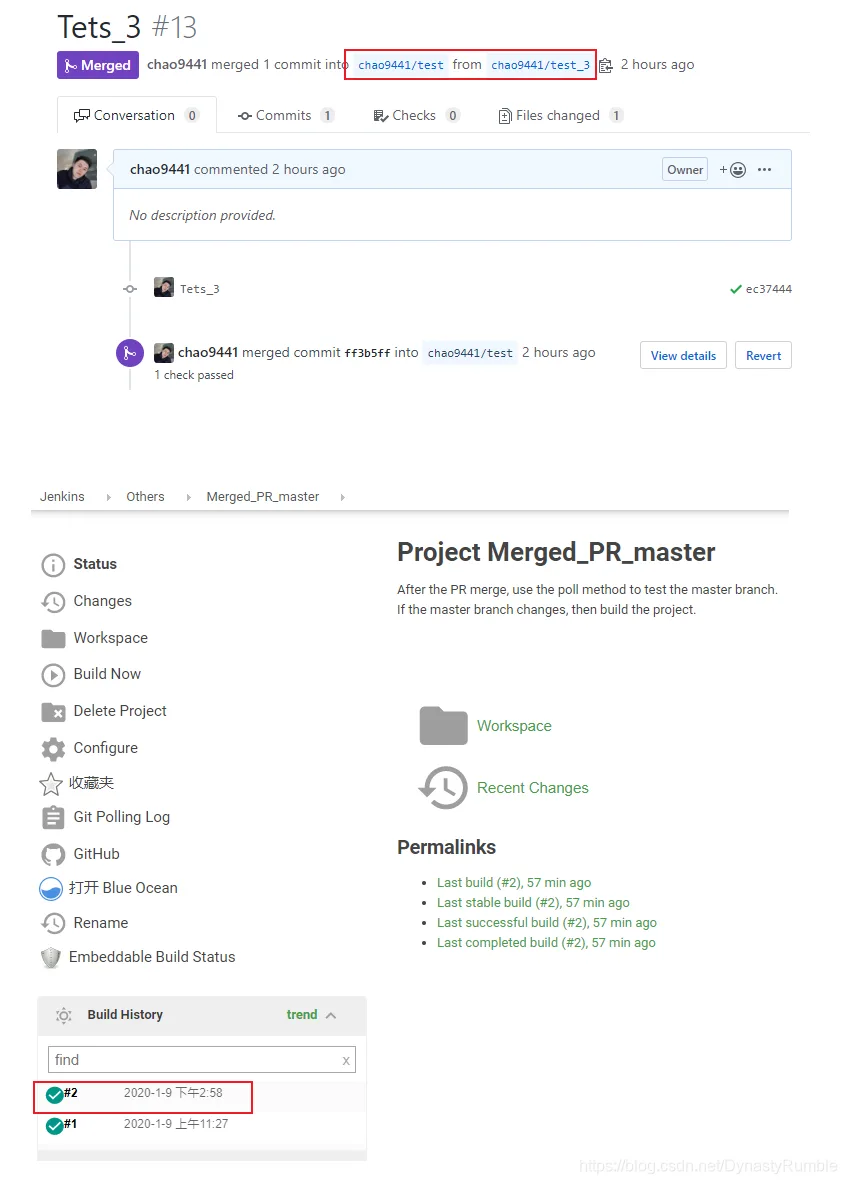
这样就和上面的Merge PR结合起来了.